
Download the APK
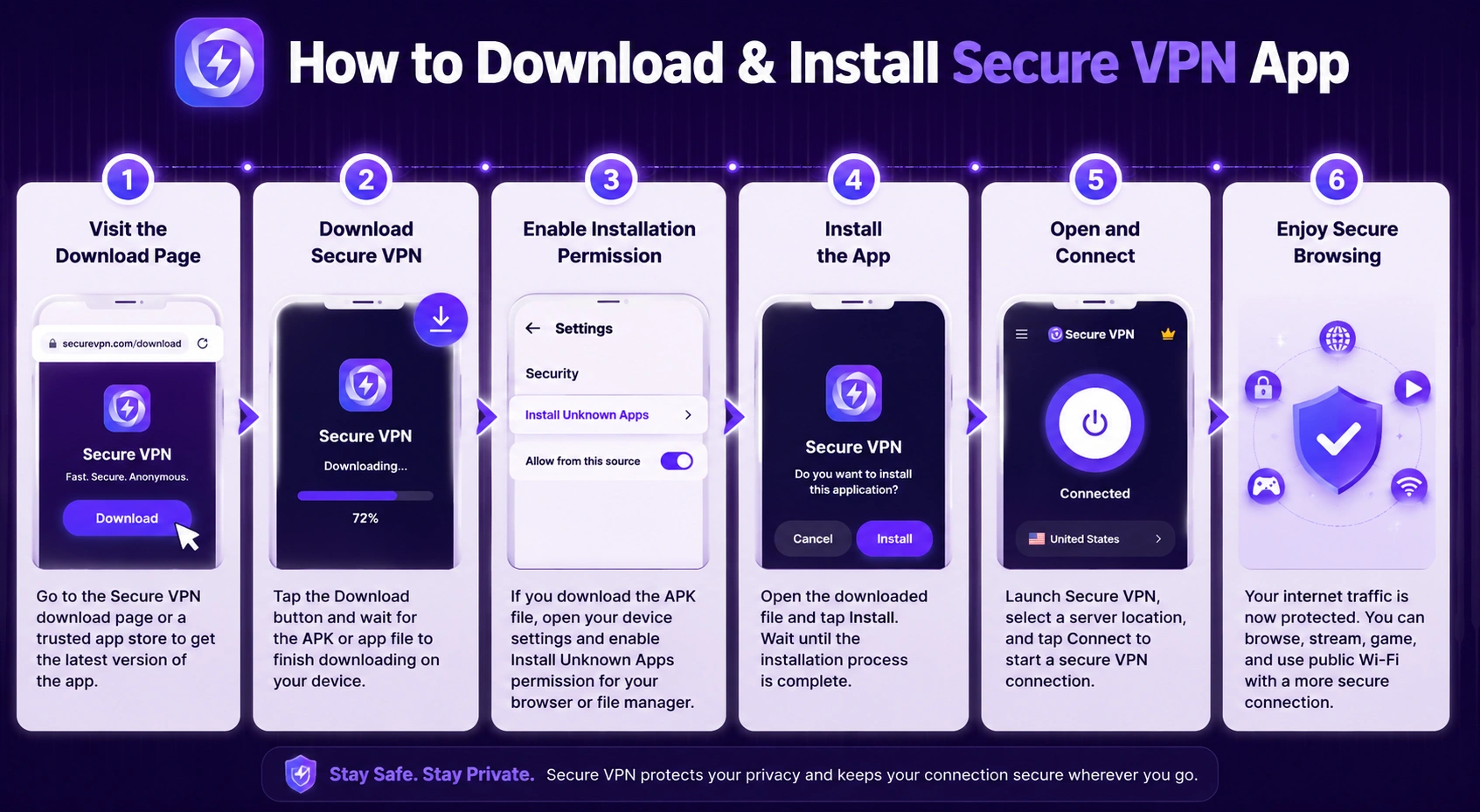
Tap the download button above to get the latest Secure VPN APK.
ANDROID · APK
Get the latest Secure VPN APK for Android and enjoy a fast, simple, and private VPN connection. Install it directly on your device — no Google Play required.
Download Secure VPN APKTap the download button above to get the latest Secure VPN APK.
If Android blocks the installation, enable permission for your browser or file manager to install apps from unknown sources.
Open the downloaded APK and follow the installation instructions.
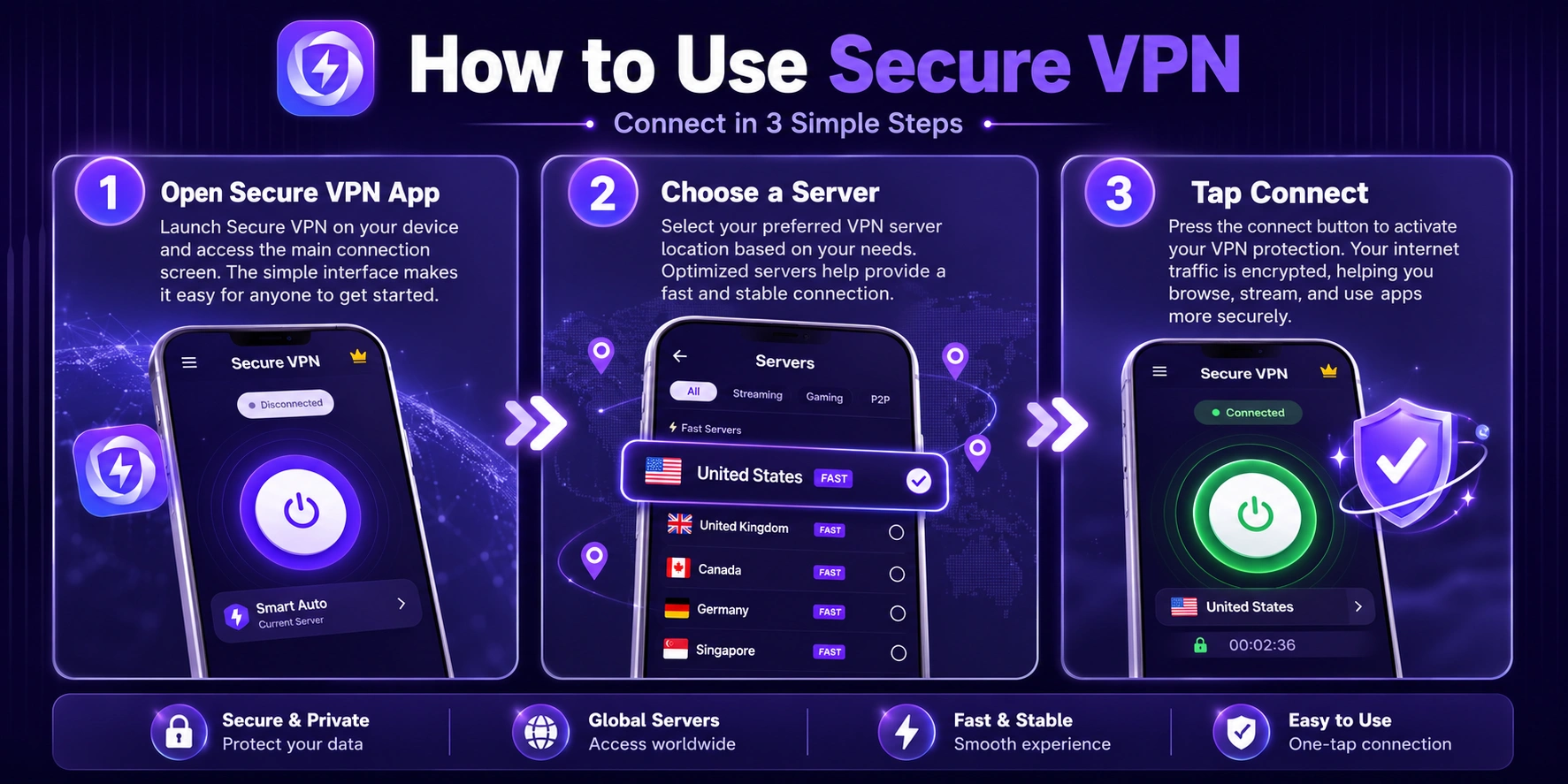
Launch Secure VPN, select a server if available, and tap the connect button.
Secure VPN is designed for Android devices and can be installed manually using the APK package. Make sure your device has enough free storage and allows installation from external sources.
Secure VPN is designed for Android devices and can be installed manually using the APK package. Make sure your device has enough free storage and allows installation from external sources.
Is Secure VPN APK free? Yes. This page provides the Secure VPN APK for free download.
Can I install Secure VPN without Google Play? Yes. You can manually install the APK on a compatible Android device.
Does Secure VPN require root? No. Root access is not normally required to use a VPN app on Android.
How do I update Secure VPN? Download the newest APK version and install it over your existing version. Keep your current app installed if you want to preserve its existing settings.